
Course The Lantern - the three mailboxes (#2)
Everything you supply to us arrives in The Lantern through one of the three mailboxes: Purchase, Sale or Various. Put your documents in the right box straight away and you save both yourself and the accounts a lot of work. In this part you learn what goes where — and which house rules we at de kleine prins add on top.
Part 1: one principle: every document in the right box
The mailbox determines what happens to a document. Documents in the purchase and sales mailboxes go on to the accounts; documents in the Various mailbox go to the archive, as background information. If you are in doubt, this rule of thumb helps: does this need to be posted as an expense or income? If yes: purchase or sale. If no, but we do need to be able to consult it: various.
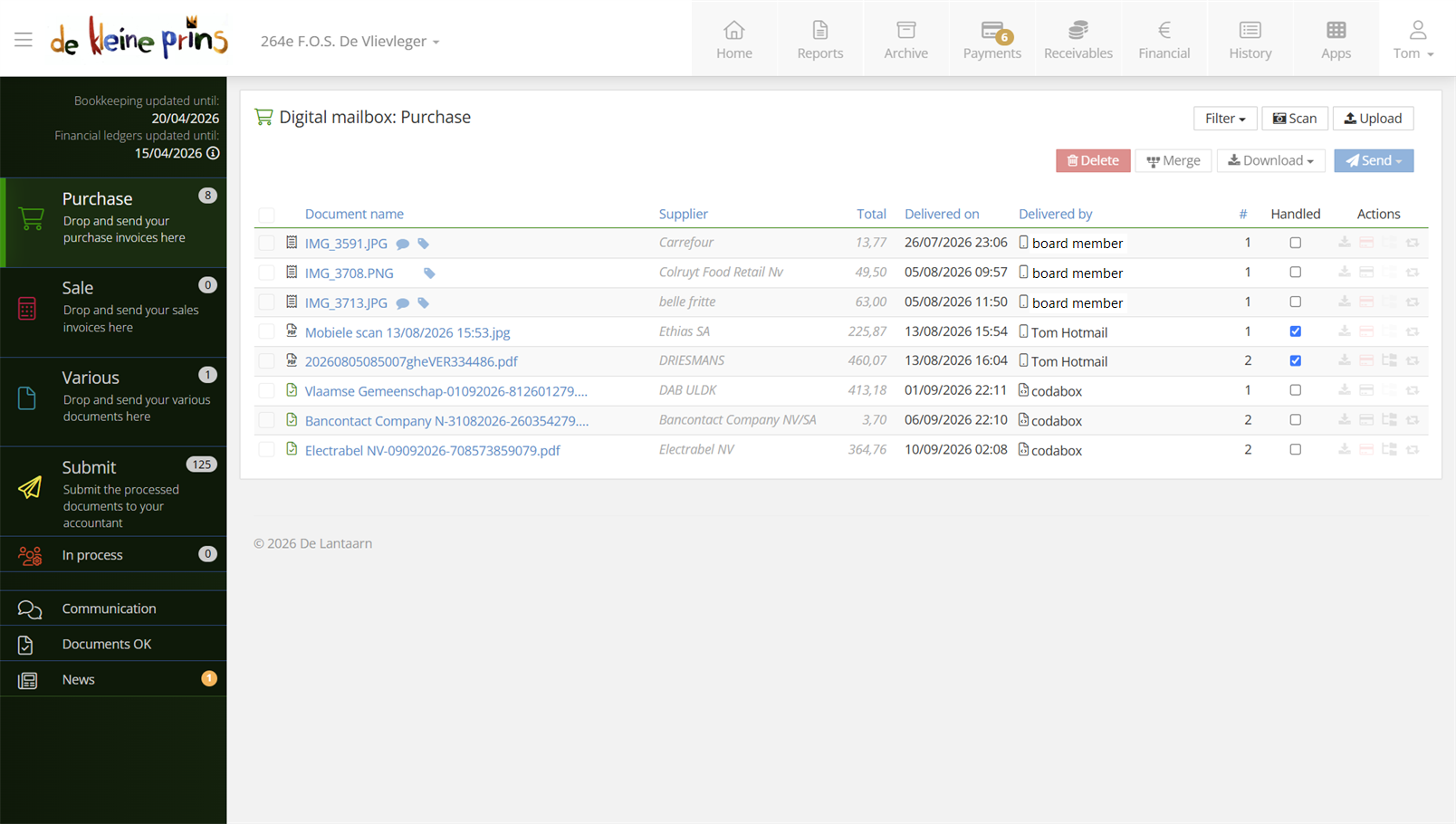
- The purchase mailbox, with the three mailboxes in the menu.
If a document ends up in the wrong box after all, nothing is lost: it can always be moved (see course part 13).
Part 2: the purchase mailbox
This is where you collect everything your organisation purchases: purchase invoices, but also expense claims and — to a limited extent, for smaller amounts — till receipts. Credit notes from suppliers belong here too.
Two kinds of documents also arrive here automatically, without you doing anything:
- Invoices via the Peppol network. Belgian enterprises are, as a rule, required since 2026 to send their invoices digitally via Peppol; those land in your purchase mailbox automatically (more on this in course part 3).
- Emails to the mailbox’s unique address (also see part 3).
Part 3: the sales mailbox
The sales mailbox works the same way, but for your sales invoices. If your organisation creates its invoices with The Rose, you do not even need to lift a finger: every invoice you create and send in The Rose arrives automatically and digitally in the sales mailbox of The Lantern. Processing is thus much faster and more accurate than with a scanned paper invoice.
Tip: if you invoice with The Rose, you can even skip the sales mailbox altogether with the auto forward option — the invoice then goes straight on to the accounts. How to set that up is covered in course part 15.
Part 4: the Various mailbox
The Various mailbox works differently from the other two. These documents do not go into the accounts automatically the way an invoice does: they serve as extra information for us and as the digital version of your traditional paper archive. We do look at each of them, though, and judge whether an entry is needed after all. One example: if a grant decision says the balance will only be paid out next year, we record that balance as a receivable now, so that your figures show the full picture. So do supply these documents as soon as you have them. Think of:
- grants and subsidies;
- taxes and levies;
- contracts and agreements;
- credits;
- personnel;
- insurances;
- publications in the Belgian Official Gazette.
Supplying them works the same way as for purchases: uploading, emailing or the mobile app. Merging, splitting or adding a label and comment is possible here too. When sending, you then choose the category of the document — per document or in bulk after a selection — and it goes to the archive instead of the accounts.
Part 5: the house rules at de kleine prins
The categories in The Lantern are generic; we add four house rules of our own. Take a moment to read them — they prevent the most common sorting mistakes:
- Expense claims and till receipts are purchase documents for us: put them in the purchase mailbox, even though a category under Various seems to refer to them.
- Bank statements do not need to be uploaded. We receive them automatically in digital format (the so-called CODA files), straight from the bank.
- Credit card expense statements do NOT reach us automatically: those you do upload.
- Insurances: the policy itself belongs under Various (insurances category), but the premium renewal notice — the yearly premium settlement — is a document to be posted and paid, so it belongs in the purchase mailbox.
And three borderline cases that come up often in practice:
- A credit note from a supplier → purchase mailbox, just like the invoice it belongs to. When sending, it can go to the separate journal Purchase credit notes if you wish (see course part 5).
- A subsidy decision or partnership agreement → various, under grants and subsidies or contracts respectively. Any related payment documents follow automatically via the bank.
- Really not sure? Then choose the purchase mailbox and put your question in a comment (course part 5) — moving it is always possible, and we see your question right next to the document.
Next step: you now know what goes where. In course part 3 we look at how documents get into those mailboxes — automatically via Peppol, or via email and upload.
The screenshots show a real file in The Lantern, in the English interface; a few images (the mobile app and the upload flow) still show the Dutch one — the layout is identical. Personal details have been redacted.